

Quick Answer: > For a standard home office setup (reading, typing, video calls), aim for 500–800 lumens. If your work involves high precision (drawing, soldering, detailed paperwork), target 800–1,200 lumens.
Expert Tip: If you experience glare or harsh shadows, do not simply buy a brighter lamp. Adjust the lamp’s height, beam spread, and dimming settings first.
The Technical Traffic Lights: Reading the Specs
When sizing a desk lamp, the “brighter is always better” myth usually leads to eye strain. Here is the technical breakdown of how to read the specs that actually matter.
🟢 Green Light: Target Lux over Raw Lumens
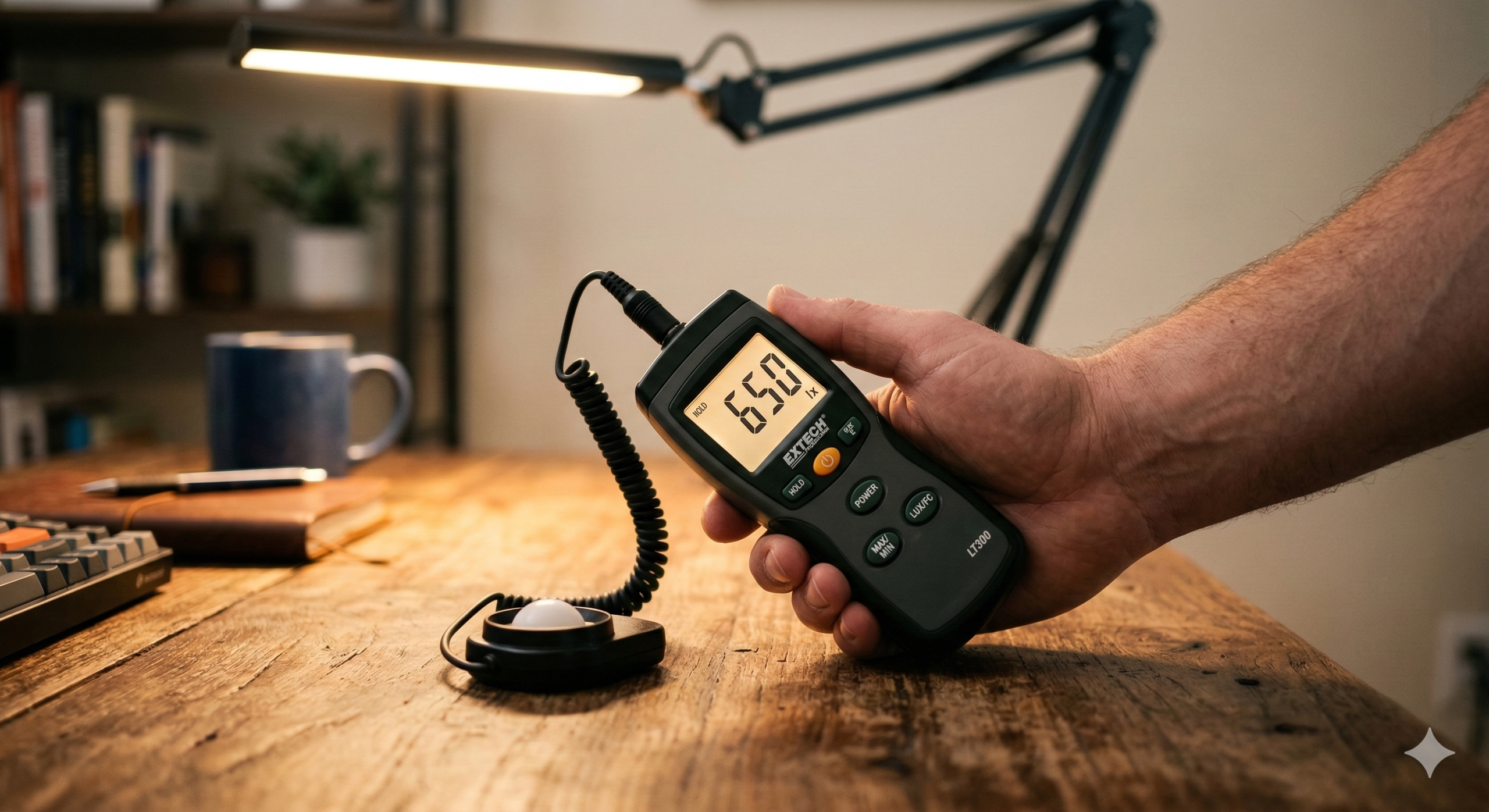
The most reliable way to size a desk lamp is by lux at the task plane (your desk surface), not the raw lumen number printed on the packaging.
Lumens describe the total light emitted in all directions; lux describes how much of that light actually lands exactly where your eyes and hands are working.
Typical desk tasks are comfortable around 500–750 lux, while high-detail tasks often demand 750–1,500 lux. If your ambient room lighting is already bright, you can stay near the lower end. If the room is dim, your task lamp must do the heavy lifting.
A practical conversion to keep in mind: Required lamp lumens ≈ (Target lux × lit area in m²) ÷ utilization factor.
For a desk zone of 0.4 m², a target of 700 lux, and a utilization factor of 0.6 (common with standard shades and real-world positioning), you get: (700 × 0.4) ÷ 0.6 ≈ 467 lumens.
This is why many people are surprised that “only” 500–700 lumens work perfectly when the lamp is aimed correctly. The reverse is also true: a 1,000-lumen lamp will underperform if most of its light spills past your notebook.
Age and visual demand also change these targets. Older eyes typically require more retinal illuminance for equal contrast sensitivity. A user over 50 may need 30–50% more desk illuminance than a younger user doing the exact same task. Low-contrast materials (like pencil on matte paper) push the required lux even higher. “Correct lumens” is never a single universal number—it is entirely dependent on the task, the geometry, and the user.
🟡 Yellow Light: Beam Angle and Distance Losses
Two desk lamps with identical lumen ratings can feel radically different in practice due to beam spread.
A narrow beam (30–40° optics) concentrates light and creates higher center lux. This is efficient if you only read in one specific spot. Conversely, a wide beam (90–120°) spreads light for smoother coverage but lowers peak intensity. If you frequently shift between a keyboard, notes, and reference books, a broader beam with moderate output usually feels better and prevents hotspots.
Distance matters just as much as output. As the lamp head moves farther from the desk, illuminance drops drastically. If a lamp at 35 cm gives strong task illumination, raising it to 50 cm can cut the effective lux at the center area roughly in half. This is the root cause of the common complaint: “My lamp looks extremely bright, but my desk is still dim.” The source is intense to the eye, but the work surface is starved of concentrated flux.
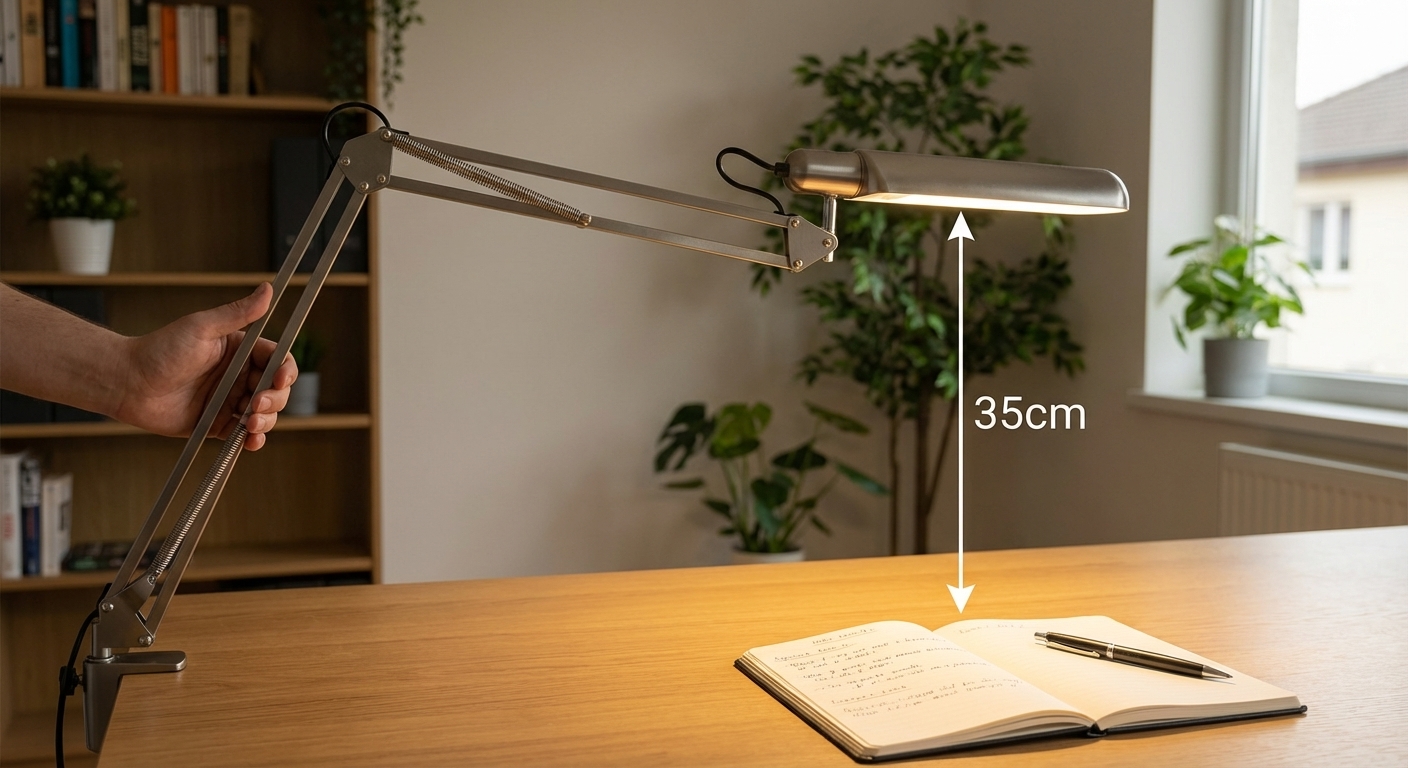
Mounting geometry also dictates shadow placement and visual fatigue. Right-handed users generally benefit from light positioned to their left or front-left (reverse for left-handed users) to eliminate writing shadows. An articulated arm often outperforms a higher-lumen fixed lamp simply because it keeps the beam exactly where the action is.
🔴 Red Light: Glare and Poor Color Rendering
If your lamp features visible “naked” LED points or a harsh reflector, discomfort glare will occur even at moderate outputs. Users instinctively dim the lamp too much or turn it off completely, defeating the entire purpose of task lighting.
A quality diffuser or a deeper optical cutoff can make 700 lumens highly usable, whereas 1,000 lumens with severe glare feels intolerable. The true limit is rarely power—it is visual comfort and luminance control.
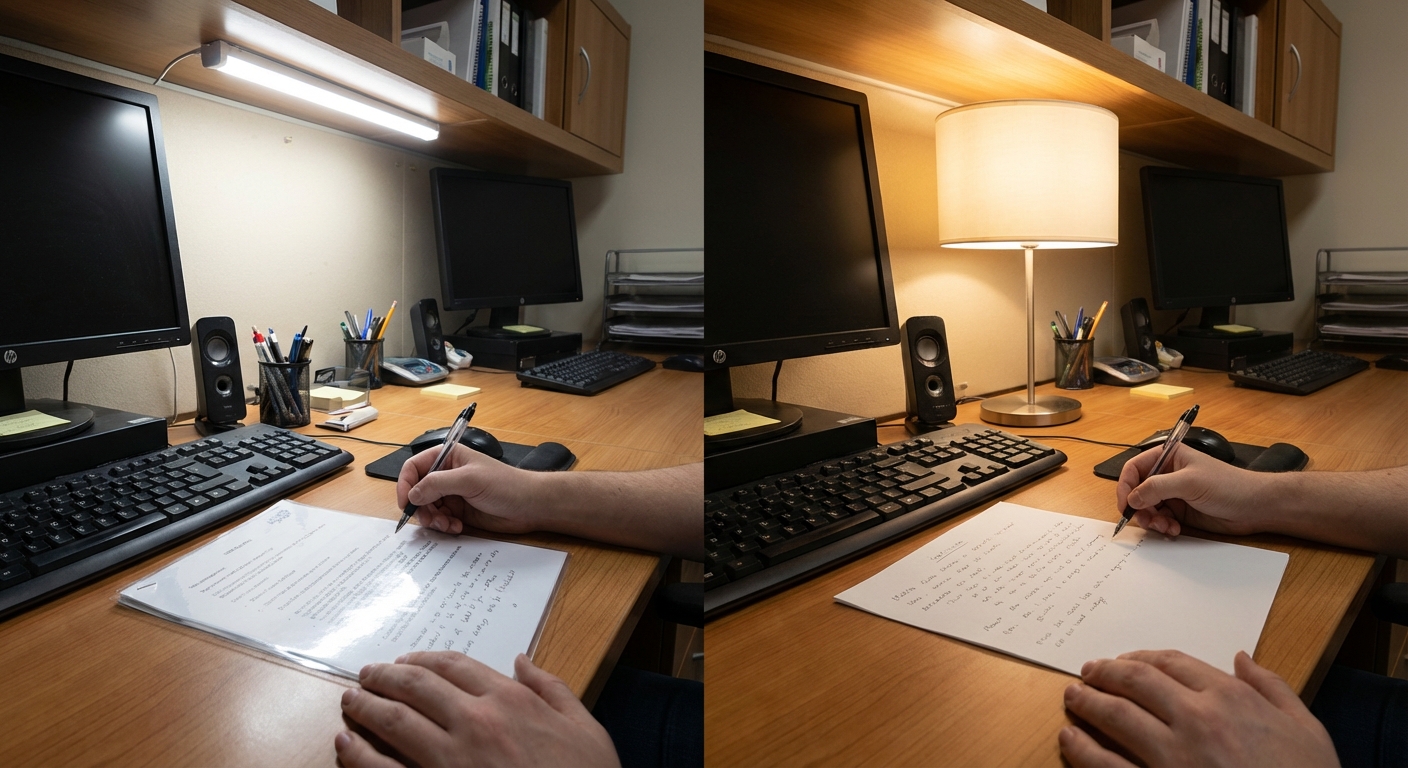
Color quality is the second hidden limiter. For desk work, a Color Rendering Index (CRI) of 90+ is preferable, especially when dealing with printed materials, skin tones during video calls, or color-coded notes. Low-CRI light flattens contrast and makes colors ambiguous, significantly increasing cognitive load and perceived eye strain.
Match your color temperature to your schedule:
- 3000–4000K (Warm to Neutral): The most comfortable range for all-day use.
- 4000–5000K (Cool White): Supports alertness and detail work during the daytime. Avoid using very cool light late at night, as it can disrupt your pre-sleep wind-down.
What My Hands-On Test Revealed
I used to assume a 1,200-lumen lamp would universally outperform a 600-lumen lamp for desk work. After years of specifying lighting for technical workspaces, I decided to test this assumption properly.
I placed both lamps at an identical height (40 cm), covering the same desk area (0.5 m²), and performing the same task (reading 8-point printed text). I measured center and edge lux with a calibrated meter and ran 20-minute reading trials—once with the bare source visible, and once with proper diffuser adjustments.
What I found surprised me: the lower-lumen lamp consistently produced equal or superior readability when beam control and glare shielding were optimized. The higher-lumen lamp only won when its optical control was similarly refined.
The lesson? Delivered light quality beats raw output every time.
🧠 Concept Break: Supply vs. Delivery > Think of lumens as the supply and lux as the delivery. A desk lamp purchase is only correct when the delivered light at the page meets your task targets with low glare and stable color quality. Memorize this sequence: Task difficulty → target lux → lamp geometry → lumen range. This framework prevents both under-lighting (squinting) and over-lighting (headaches).
Actionable Decision Framework
Start by classifying your primary desk task:
- General Office Activity (500–800 Lumens): For typing, casual reading, and meetings. Assume an average arm reach and an adjustable head position.
- Mixed Screen & Paper Work (700–1,000 Lumens): Ideal for dim rooms. Dimming is critical here so you can tune the light down when ambient daylight increases.
- Precision Tasks (800–1,200 Lumens): Necessary for technical drawing, miniature crafts, or low-contrast print. Ensure excellent glare control.
Next, validate your geometry before buying more output. Choose an articulated arm, place the source 30–45 cm above the desk plane, and angle it so the brightest region covers where your eyes actually track text.

Finally, establish your quality thresholds: CRI 90+, a flicker-safe driver, and a dimming feature. A lamp fixed at one high output is rarely ideal because visual demand fluctuates hour by hour.
Frequently Asked Questions
Is 400 lumens enough for a desk lamp? It can be sufficient for light typing or laptop use in a well-lit room, but it is often marginal for sustained reading or handwritten work. Moving to 500–800 lumens with a dimming feature provides a much more reliable comfort range for evening conditions.
Is 1,000 lumens too bright for desk work? Not necessarily. 1,000 lumens is highly appropriate for detail-oriented tasks or dim rooms, provided the lamp features excellent diffusion and adjustable brightness. It only becomes “too bright” when glare is unmanaged and creates harsh contrast against a dark background.
What is better for a desk lamp: warm white or cool white? Neither is universally superior. Warm-neutral light (3000–4000K) is generally more comfortable for long sessions and evening use. Cooler light (4000–5000K) improves perceived sharpness during daytime detail work. The ideal solution is a lamp with tunable color temperatures.
How do I know if I need more lumens or better lamp positioning? If the center of your page is bright but the edges are dim, or if your hand casts strong shadows, positioning and beam spread are your primary issues. If the coverage is uniform but the text still looks dull or causes strain, you likely need more delivered lux (and possibly a higher CRI).